 Voxline
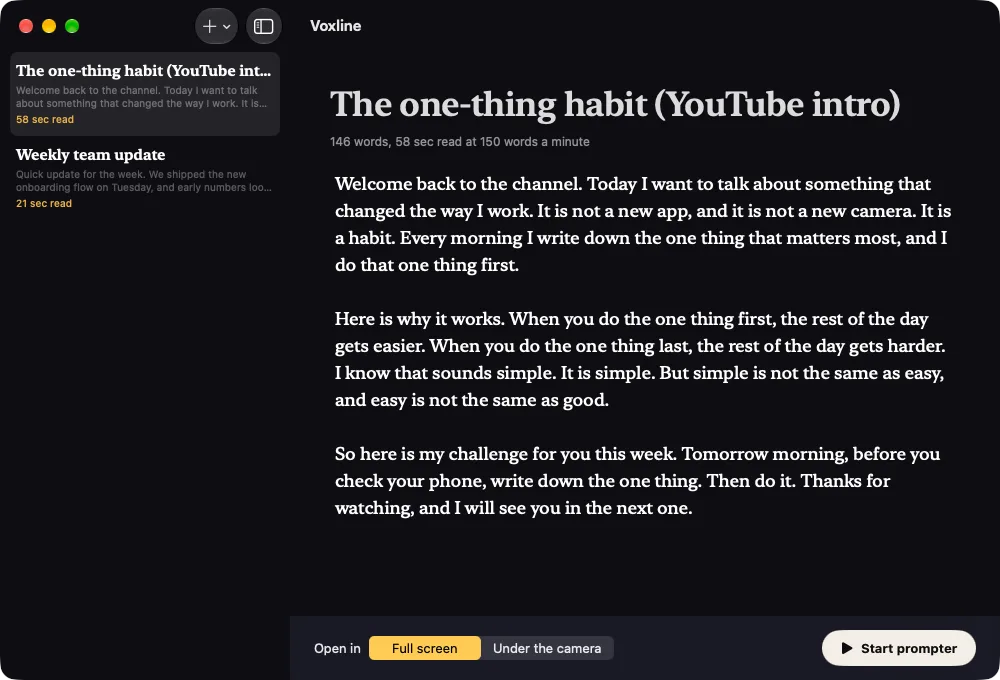
Why most Mac setups look like you are reading
The usual fix is a notes window or a browser tab. It works until you watch the recording back: your eyes sit a few inches below the lens, and every line you read pulls them further down and sideways. People notice. On a call, it reads as “not quite talking to me”.
Webcams on a MacBook sit in the middle of the top bezel. So the only spot where reading looks like eye contact is a narrow strip directly under it. That strip is exactly where the notch is.
How Voxline's notch prompter works
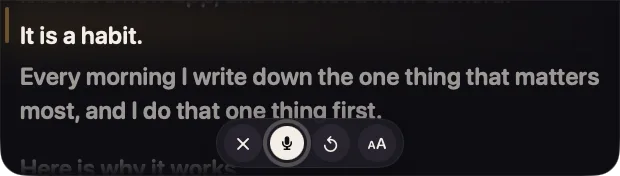
- It drops from the notch. A small prompter slides out from the top center of the screen, flush with the camera, and floats above Zoom, Meet or whatever you are recording in.
- It shows two or three lines at a time. Short lines keep your eyes inside a small window near the lens, so they don't sweep across the screen.
- It follows your voice. Speech is recognized on your Mac. Pause to answer a question and it waits; skip a line and it catches up.
- It stays out of the share. The window is excluded from screen sharing and screen recordings. Share your whole screen and the people on the call see your slides, not your notes.
When to use the full-screen prompter instead
For a recorded video where you are the only thing on screen, the full-screen prompter gives you bigger type and more context. Use a mirror rig or a second display near the lens, set the size between 20 and 110 point, and let it follow your voice. For calls, demos, sales pitches and webinars, the notch prompter is the one to use.
Raise your laptop so the camera is at eye level. Two books will do it. With the script under the lens and the lens at eye level, reading looks like looking at someone.
One app across iPhone and Mac
Voxline is one app on the App Store for iPhone, iPad and Mac, and one Pro purchase covers it. Use the iPhone for a talking-head video with the front camera, and the Mac for calls. Scripts are stored on each device; there is no account and no cloud copy. For more on calls, see how to use a teleprompter on Zoom, and for camera work, how to use a teleprompter.