 Voxline
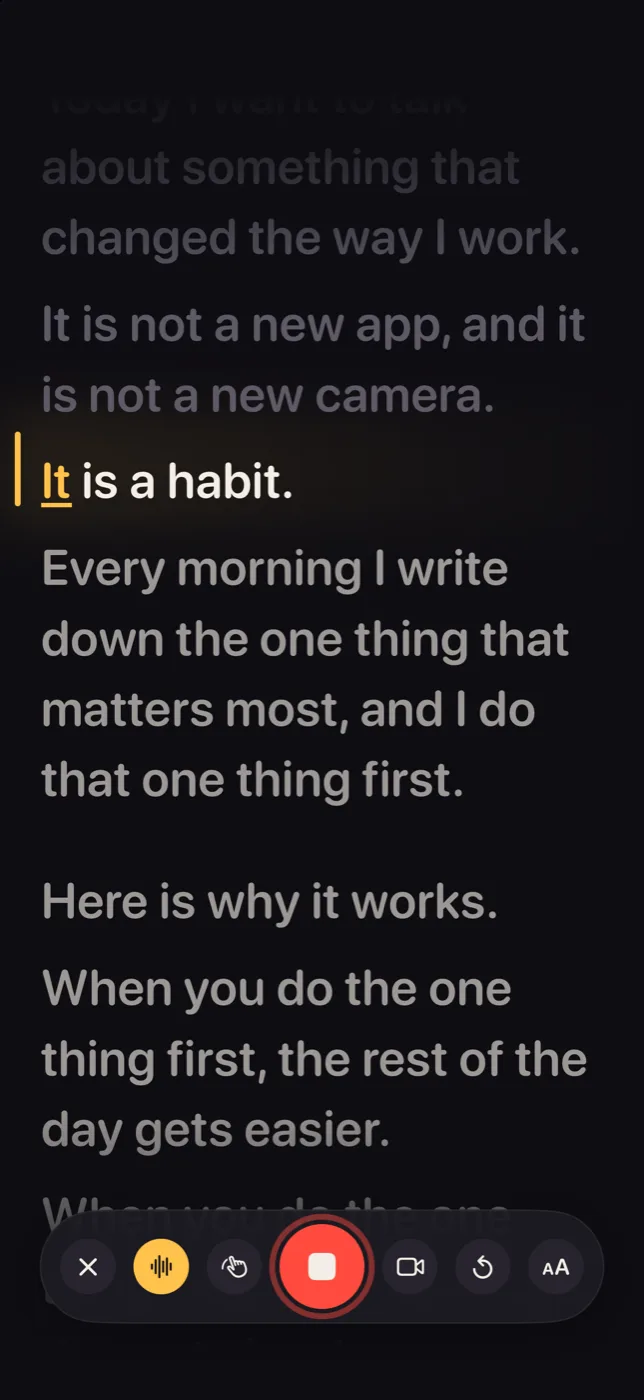
Open a script, prop the phone at eye level, and start talking. Voxline listens on the device, matches what you say to the script, and moves the reading line to the word you are on. Stop to think and it waits. Skip a line and it catches up. Manual scroll, mirror mode and up to 3 scripts are free; Pro is $29.99 once.
What to look for in an iPhone teleprompter
- Where the words sit. The front camera is at the top of the phone. The closer the line you are reading is to it, the less your eyes drop. Voxline keeps the reading line in the upper third of the screen.
- Who sets the pace. A timed scroll is set before you start and does not know when you pause. Voice follow moves when you speak and holds still when you don't.
- Recording in the same app. Reading in one app and filming in another means juggling both. Voxline records the front camera while the script runs.
- What you pay. Check whether the free tier is a trial that turns into a charge. Voxline has no trial; the free tier stays free.
Set it up in five steps
- Paste or write your scriptAdd a script in the library. If you only have points, use talk your points to say them out loud and get a short script back in your own words.
- Set the text size before you filmHold the phone where it will sit for the take and set the size so you can read it without leaning in. Bigger text and fewer words per line keep your eyes still.
- Put the phone at eye levelUse a small tripod or a stack of books so the front camera is level with your eyes, at arm's length or a little more.
- Choose voice follow or a fixed speedVoice follow moves the script as you talk and waits when you stop. Manual scroll runs at a speed you set, from 60 to 260 words a minute.
- Record a take while you readStart a front-camera take from the prompter. Each take is saved as its own clip, so a bad one never costs you the good one.
On a phone that matters: you want the camera an arm's length away or more, not under your chin. Voxline follows the mic channel that carries your voice, so you can plug in a lav or a USB mic and step back for a wider shot. Before launch, its voice follow had to pass a lab test on recorded reads: no false jumps ahead, no stall longer than two seconds, and back on your line within three seconds of a skip.
Voice follow or a fixed speed?
Use a fixed speed when the read is rehearsed and you want an even pace. Manual scroll goes from 60 to 260 words a minute and is free. Use voice follow when you will pause, react or go off script, which is most talking-head video. If you lose your place either way, tap any sentence and the prompter picks up from there.
Text size runs from 20 to 110 point. Set it with the phone where it will be for the take, not in your hand. If you are on a beam-splitter rig, turn on mirror mode.
Your scripts stay on the phone
There is no account to make. Speech is recognized on the device, and your scripts and takes are stored on it, not uploaded. For filming tips, read the YouTube teleprompter guide; for calls from a laptop, see the Mac teleprompter. New to prompters? Start with how to use a teleprompter.